Flashcards get ignored. Worksheets get sighed at. “10 more minutes of screen time” usually means 10 more minutes of nothing learned.
3D WebGL learning game · free on Chrome
Where practice feels like playing.
A fast, child-safe 3D shooter where every target is a question. Kids master multiplication, division, and vocabulary by hitting the correct answer — earning coins, unlocking weapons, and battling bosses along the way. Plays right in Chrome. No install required.
Free · Plays in Chrome · No install
Screen time that finally earns its keep
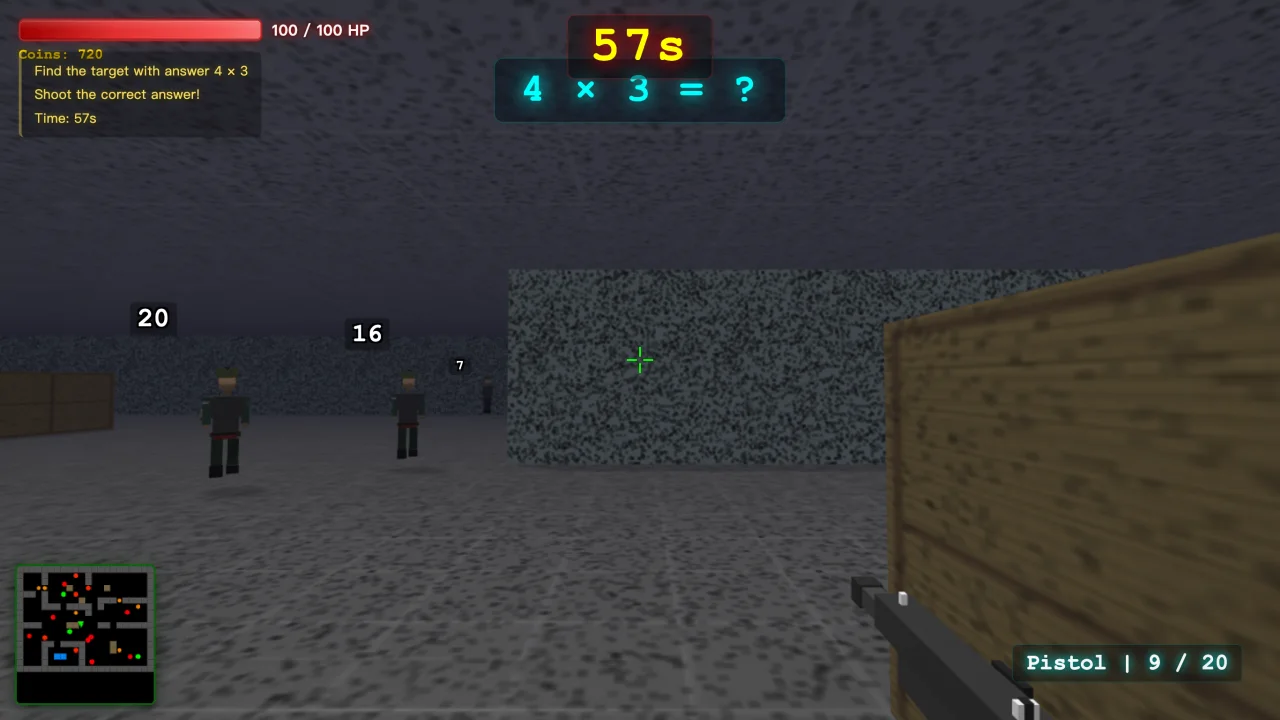
EduShooter makes the answer the target. Kids practice math facts and vocabulary inside a real 3D game — fast, fun, designed to be safe for ages 7+. The screen time finally pulls its weight.
Everything kids need to keep coming back
01
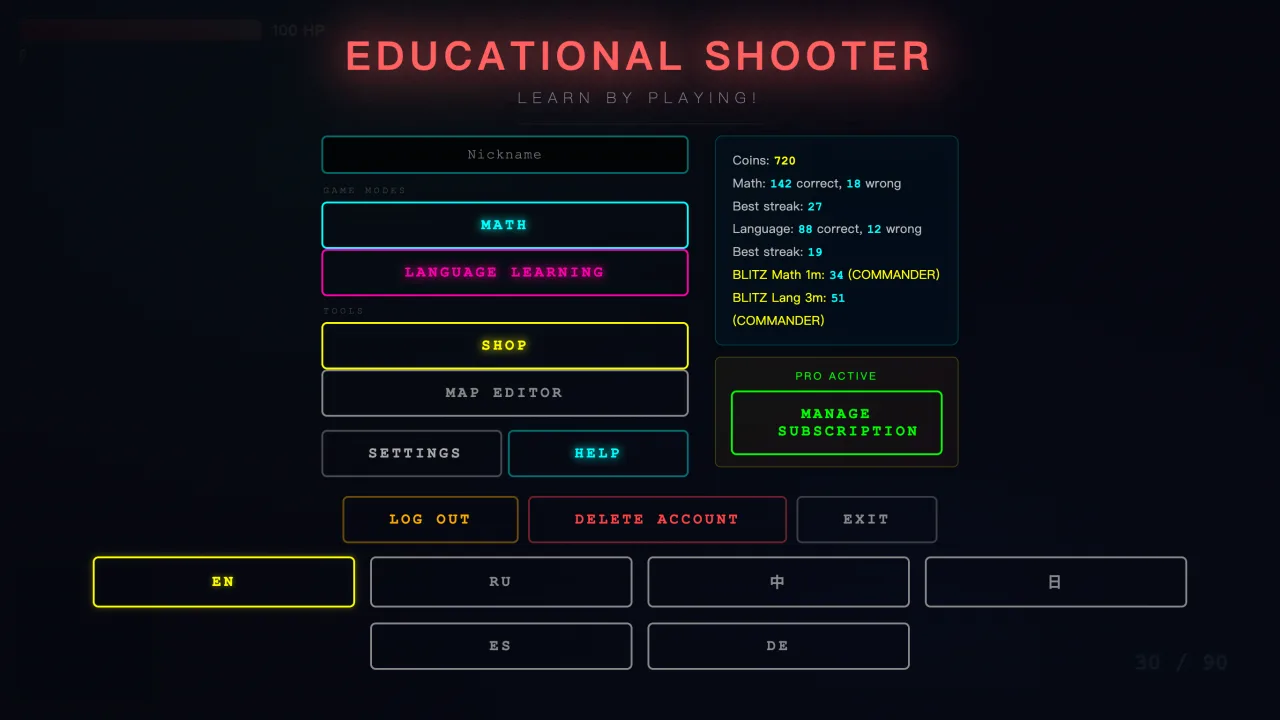
Two ways to learn, one game
Switch between Math and Language Learning from one clean menu. Pick the subject, set difficulty, jump into play.
02
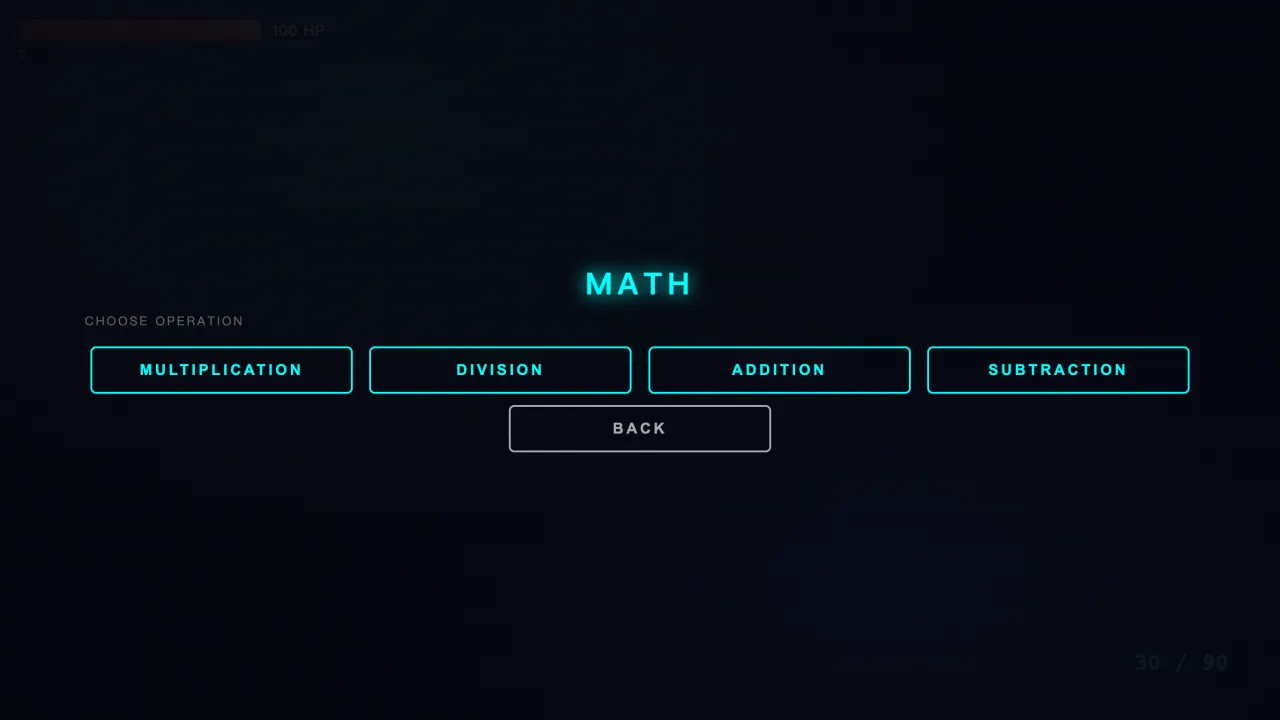
Math your way
Multiplication, division, addition, subtraction, difficulty levels 2–12. Add a 60-second timer for pressure or go untimed; flip on hints when a hand is needed.
03
Hit the right answer
Floating targets show possible answers; shoot the correct one to score +10 coins. Instant, physical feedback that keeps kids locked in.
04
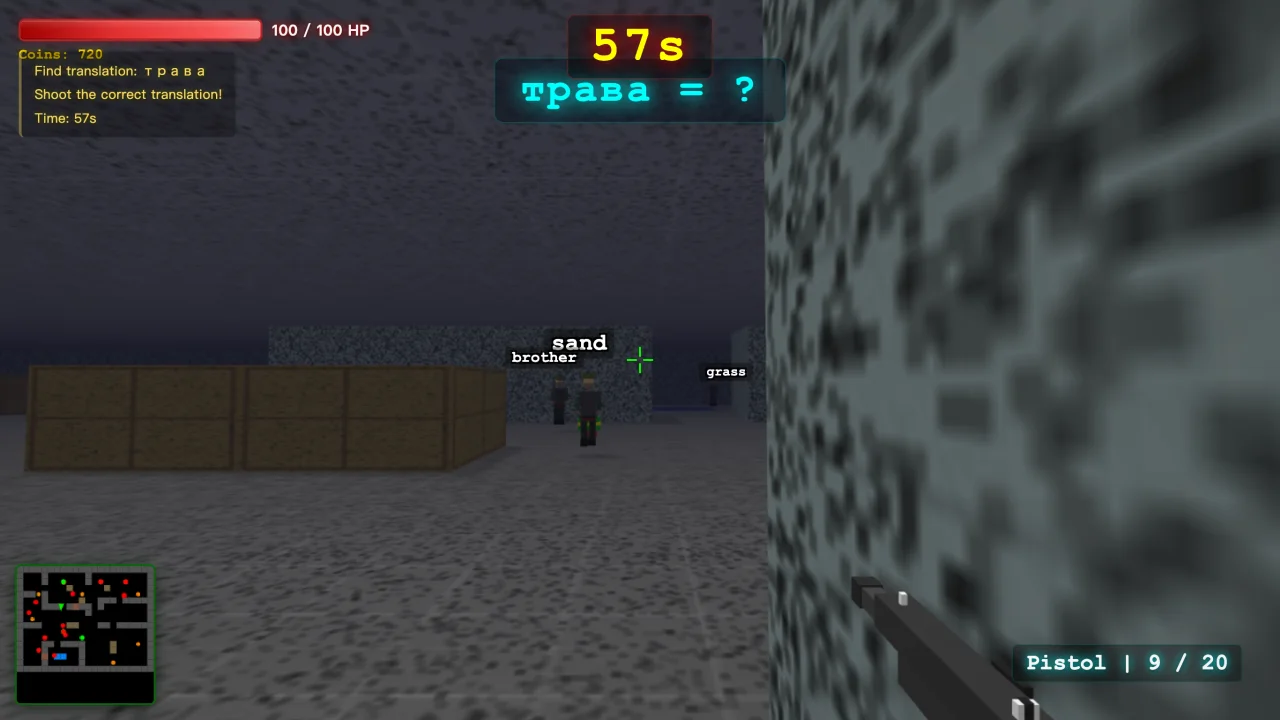
Vocabulary that sticks
Practice with the built-in 50-word dictionary or load your own list via JSON or a quick paste. Shoot the correct translation, earn +15 coins per hit.
05
Earn it, then gear up
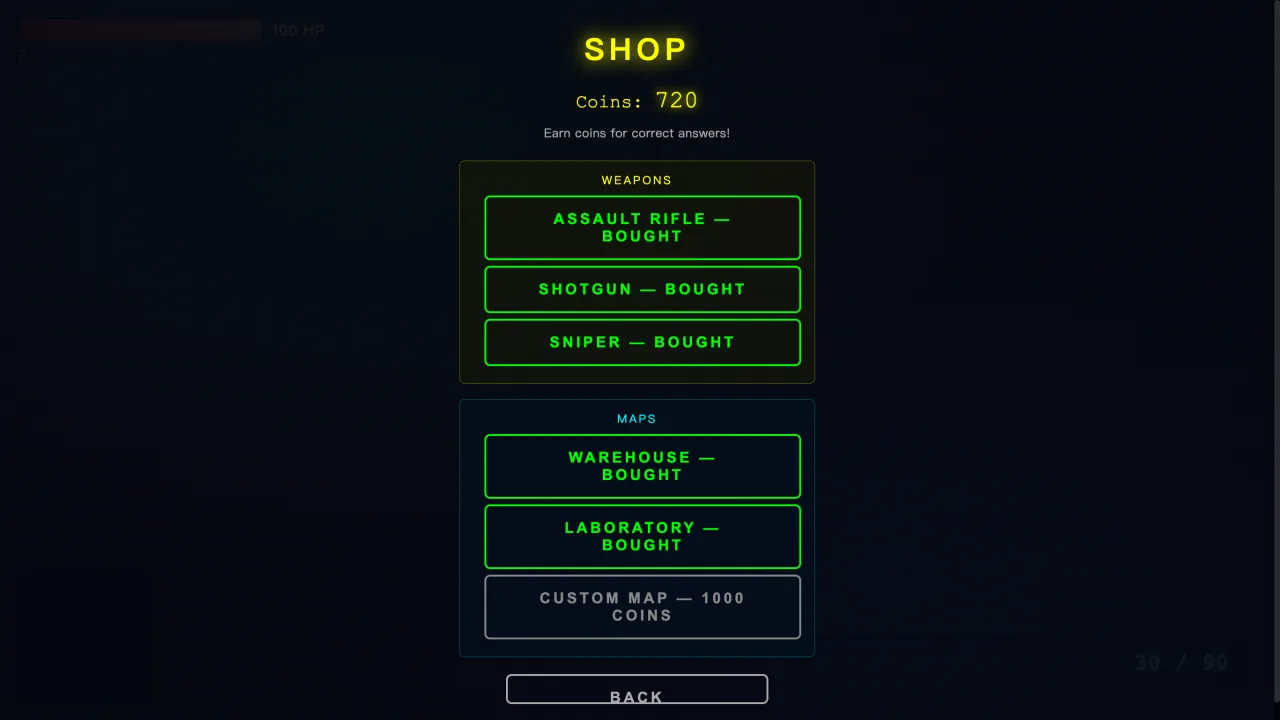
Coins come only from correct answers — then they buy upgrades. Start with a free pistol; unlock assault rifle, shotgun, and sniper.
06
Visuals worth showing off
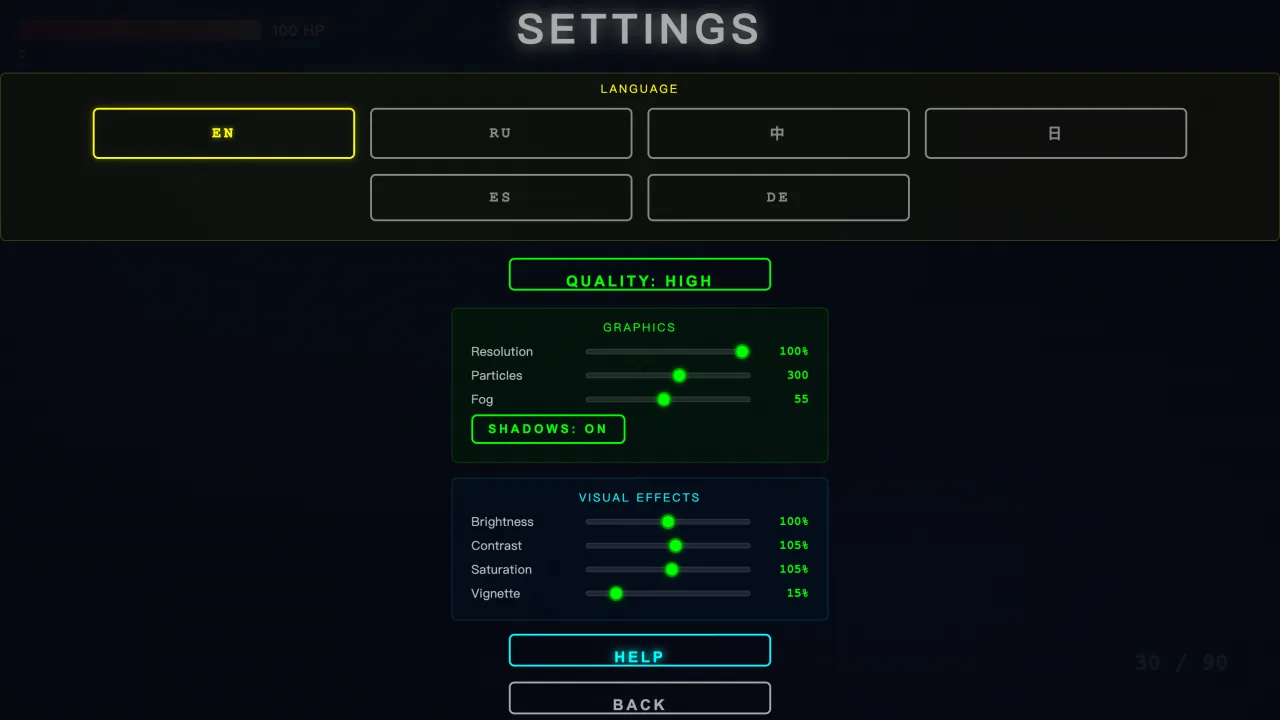
High-end WebGL: real-time shadows, bloom, SSAO, volumetric fog, particles. Quality presets (low→ultra) + fine sliders keep it smooth.
07
Build your own arena
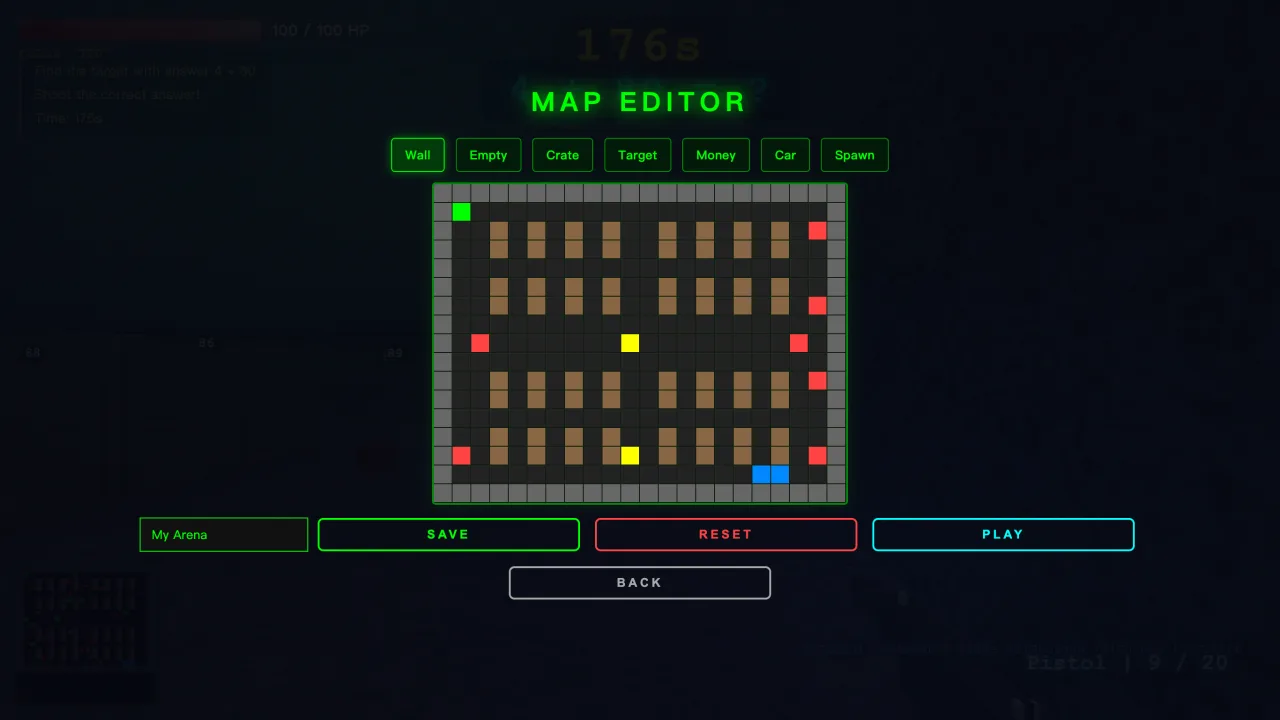
Place walls, crates, targets, money, a car, and spawns, then save your map to the cloud and play it.
08
Pick your battlefield
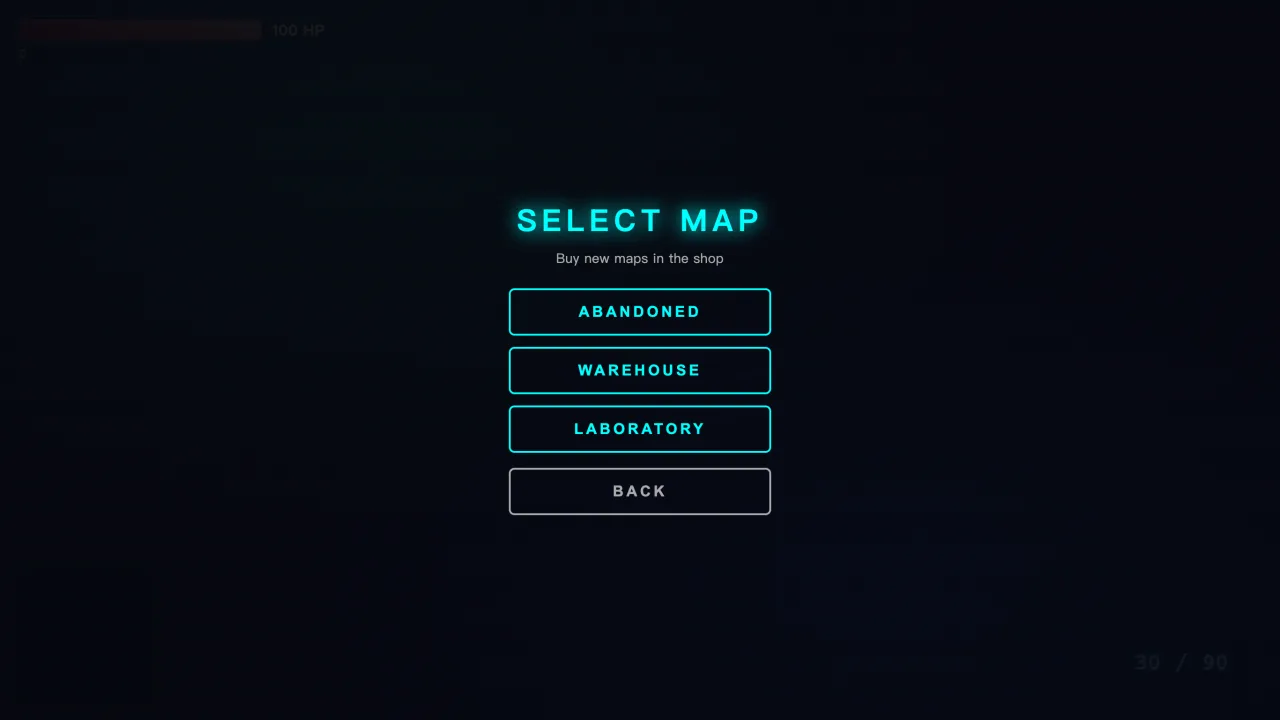
Default, warehouse, and lab maps, plus any custom map you’ve built.
09
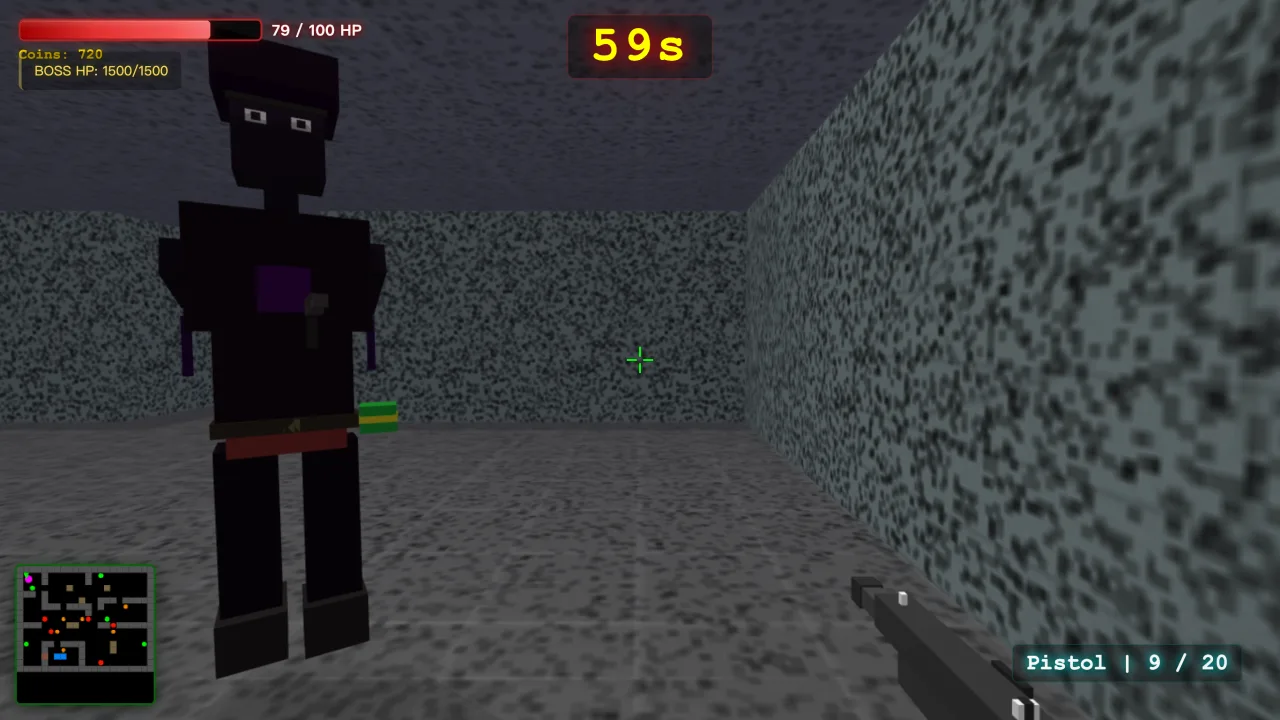
Beat the boss, claim the loot
Every 10 correct answers, a 1,500-HP boss crashes the arena. Defeat it for +500 coins and the Glitch Gun — a special weapon that turns defeated targets into allies.
10
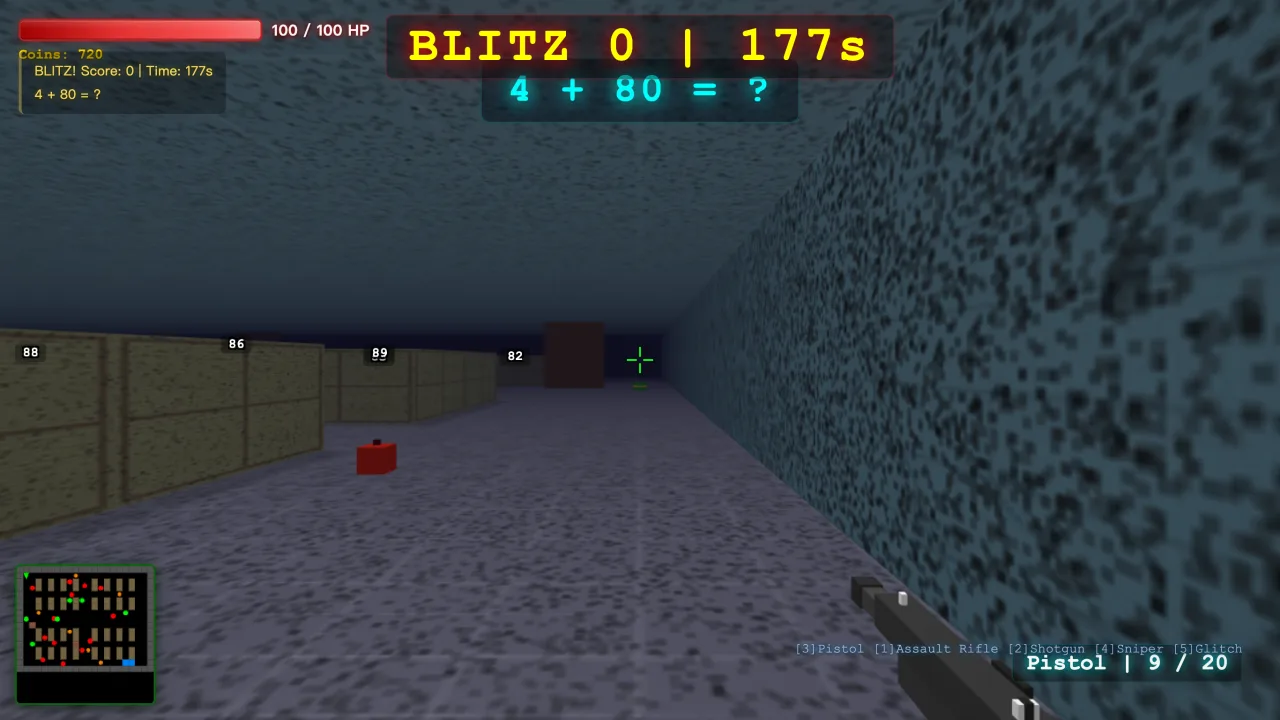
Blitz mode: race the clock
Rapid-fire rounds of 1, 3, 5, or 10 minutes. Answer as many as you can, get graded on accuracy, and chase saved high scores for every mode and time.
Packed with extras
-
Untimed or 60s timer
Add a 60-second timer for pressure, or play fully untimed for low-stress practice.
-
Hints on demand
Flip on hints when a hand is needed, then switch them off to test what stuck.
-
6 languages
Full UI in English, Russian, Chinese, Japanese, Spanish, and German.
-
Cloud save
Progress, coins, and custom maps sync to your account — pick up on any machine.
-
Chrome Web Store
Installs in one click from the Chrome Web Store and runs right in your browser.
-
Coin economy
Coins are earned only by answering correctly, then spent on weapons and maps.
From sign-in to score in three steps
-
1
Sign in & pick a mode
Google or email; Math or Language Learning; set difficulty.
-
2
Shoot the right answer
Targets float in 3D; hit the correct one to score and earn coins.
-
3
Unlock & level up
Spend coins on weapons/maps, fight a boss every 10 correct answers, chase blitz high scores.
Built for the whole household — and the classroom
Parents
Screen time that earns its keep. Designed to PEGI 7 / ESRB E10+ standards, child-safe — no gore, no blood; enemies are training holograms. Progress saves to their account.
Teachers & tutors
Turn rote drills into a race. Load your own vocabulary (JSON or paste), set levels 2–12, run blitz rounds (1/3/5/10 min) with accuracy grades + saved scores. 6 UI languages.
Homeschoolers
One tool, two subjects, infinite reps. Math + vocabulary, a buildable map editor, untimed mode for low-pressure days; everything saves to the cloud.
Kids who love action
Real 3D, weapons to unlock, boss fights. Beat the 1,500-HP boss every 10 correct answers for +500 coins and the Glitch Gun. Climb blitz leaderboards; build your own maps.
The learn-by-shooting loop
EVERY TARGET IS
EVERY TARGET IS
A QUESTION.
Most “learning games” bolt a quiz onto a game. We made the answer the target. Line up the correct one, pull the trigger, score, bank coins, repeat — faster, then faster. Instant, physical feedback keeps kids in the loop long enough for facts to stick. Practice that doesn’t feel like practice.
Get it on the Chrome Web Store
Stories from the loop
Illustrative — not real customers.
“My son used to dodge times tables. Now he begs for ‘one more boss fight.’ We hit level-12 multiplication without a single argument.”
 Maria, 38Austin · Parent
“I uploaded my Spanish unit’s word list in two minutes and my students were drilling it competitively by the end of class.”
 David, 45Manchester · Teacher
“Blitz mode is our warm-up every morning. The accuracy grades turned vocabulary into a personal-best chase.”
 Priya, 41Toronto · Tutor
“Math and vocab in one game that saves everyone’s progress is a lifesaver. The map editor keeps my 9-year-old building for hours.”
 Jenna, 36Denver · Homeschooler
“I built my own warehouse map and made my brother play it. Then I beat the boss and got the Glitch Gun. Best homework ever.”
 Leo, 11Seattle · Kid
“I wanted a game; my parents wanted me studying. This is both. I’m on a 30-question streak.”
 Sofia, 10Madrid · Kid
Free to play. One click to install.
EduShooter installs straight from the Chrome Web Store and runs in your browser — no heavy download, no card, no catch.
Questions, answered
Is it safe for kids?
Yes. EduShooter is built child-safe and designed to PEGI 7 / ESRB E10+ standards — no gore, no blood. Targets are training holograms, and there are no ads or third-party tracking.
Do I need to install anything?
No heavy download. EduShooter installs from the Chrome Web Store in one click and runs right in Chrome.
What ages is it for?
Designed for ~7–12, but levels 2–12 and custom word lists suit older learners and classrooms.
Can teachers add their own words?
Yes — load vocabulary via JSON or paste a word list.
Is it free?
Yes — EduShooter is free to play and free to install from the Chrome Web Store.
Which browsers, and does it work offline?
Built for Chrome and the Chrome Web Store; it needs an internet connection (sign-in, cloud-saved progress, custom maps sync online).